
Customer Case Study
How Outfunnel Created 600+ Integration Pages Without Managing Them Manually
Outfunnel syncs data between sales and marketing tools. Every new integration needs a landing page. MPG generates them all, without any manual work.
600+
Pages generated
Hours
Saved per week
36+ Months
Using MPG plugin

We literally wouldn’t be able to do this manually. MPG helps us save hours and hours of time when building landing pages for our current and upcoming integrations.

Andrus Purde
Co-founder · Outfunnel
ABOUT OUTFUNNEL
A B2B platform that connects your sales & marketing tools
Outfunnel helps companies sync data across their sales and marketing tools, so they can pick and mix the best tools without getting locked into one platform.
They connect tools like Pipedrive and Mailchimp, or Attio and ActiveCampaign. Every new integration they support requires a fresh set of landing pages, and that number compounds fast.

THE CHALLENGE
More integrations meant exponentially more pages
Every new integration needed its own page
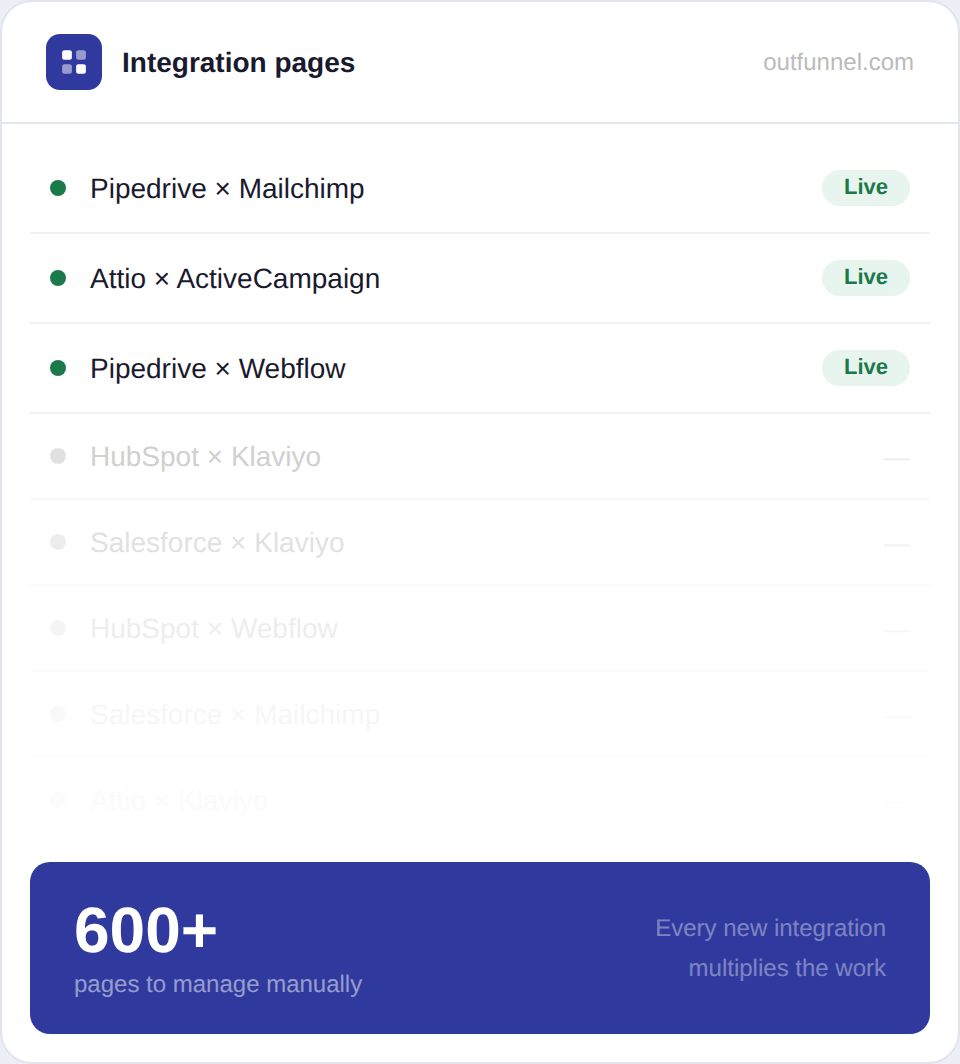
Each tool Outfunnel adds needs a landing page for every possible combination. The pages multiply faster than any team can write them.
Hours lost to manual updates
Keeping hundreds of pages accurate with copy, metadata, links, consume time that should go toward product and growth.
Impossible to scale manually
500+ pages for upcoming integrations couldn’t realistically be written by hand. A programmatic solution was essential.
HOW OUTFUNNEL USE MPG
One system. Hundreds of integration pages.
Outfunnel uses MPG to manage current integrations, future launches, and scalable SEO landing pages, without maintaining them manually.

600+ Integration Pages
Every integration has a SEO Optimized page
Outfunnel uses MPG to cover every tool they support today and every one coming next. Live pages, upcoming integrations, directory pages, all in one place, all automatically generated.

Set once. Scale forever.
One template powers all of them
Outfunnel built a one-page template and linked it to a spreadsheet datasource. Add a new integration to the sheet, and MPG creates the page instantly. No copy-pasting, no manual publishing.
THE RESULTS
Hours saved. Hundreds of pages delivered.
What changed after switching to MPG? Time reclaimed, scale unlocked, and a page presence that grows automatically.
Hours
Saved every week
Spent on building product, not pages
3+ Years
Without rebuilding it
Same setup, still running perfectly
Day 1
Every integration has a page
Ready before the launch, not after
Zero
Manual interventions
The whole system manages itself
“We sync data between various sales and marketing tools. MPG helps us save hours and hours of time when building landing pages for our current and upcoming integrations. We literally wouldn’t be able to do this manually.“
Andrus Purde
Co-founder · Outfunnel
IN ANDRUS’s OWN WORDS
How Outfunnel describes MPG to others
We asked Andrus how he’d explain MPG to someone who’d never heard of it. Simple, accurate, and says everything.
“It’s an easy way to add dynamic WordPress landing pages at scale.”
Andrus Purde
Co-founder at Outfunnel
Why do people love MPG?
Great tool! It allowed me to generate pages based on custom data sets, saving me a ton of time compared to manual creation. I like the ability to customize templates for each page.

I was scouring the web trying to find something that would quickly and automatically create new profile pages for our customers based on information we gathered from a form. This plugin did exactly that. Great product and even better support. Team was relentless in getting me answers whenever I did have issues, usually ones i created.

Absolutely fantastic! A real “must have” for building a serious site and a SEO strategy. Very powerful, and the support is quick and patient even for a lamer as I am. RECOMMENDED 100%

I can see some bad reviews for this plugin from a few years ago. Since then, Themeisle has taken over development, and it has gone from strength to strength. We use it on a few sites, and it works really well, and is constantly being improved – including listening to our feedback for new feature suggestions.



A Trusted Choice for Many Happy Users
⭐ 48,000+ Downloads | 🚀 10M+ Pages Generated
Supported by Real People

Our products be used by





TOP NOTCH SUPPORT
Need support? Stay relaxed,
we have you covered!
Our Happiness Engineers are happy to help you get the best results from our products. No matter the question, we deal with it and don’t leave you wondering what to do.
- Large Knowledge Base
- 300+ Product Docs
- 200+ Video Tutorials
- Support via Email
- 1 Business Day Reply
- Priority Support
NEED A HAND?
Frequently Asked
Questions
How does MPG work?
When a URL is requested by your browser, the first priority is to load an actual existing page or post. If it doesn’t exist, before returning 404, MPG will check if the URL is within its database. If it is, it will render the selected template page, replace all URL-related data and shortcodes, return status 200, and load the page for the end-user.
Is MPG compatibile with Page Builders and Themes?
MPG has been tested and works out of the box with the next page builders and themes (not limited to those listed):
Theme: Neve, Hestia, Ark, Avada 5.0+, BeTheme 21.1.x+, Divi 3.0+, Enfold, Flatsome, Themify Ultra and more!
Plugin: Avia Layout Builder, Beaver Builder, Bold Page Builder, Divi Builder, Elementor, Elementor Pro, Fusion Builder, Live Composer, Oxygen Page Builder, SiteOrigin Page Builder, Themify Builder, Thrive Architect, Visual Composer, WPBakery Page Builder and more!
What SEO plugins are supported?
The Multiple Pages Generator WordPress plugin is a truly powerful SEO tool, since it allows you to target thousands of keywords with unique content. On top of that, it also works seamlessly with your favorite SEO plugins, like Yoast SEO, All in One SEO, SEOPress, Rank Math SEO, and others.
What do I do if my CSV file won’t upload?
If you are trying to upload a file and the MPG plugin isn’t able to extract the data in it, the likely reason is that the file doesn’t have the columns and types of values that it should. A quick and easy solution is to go to: https://csvlint.io/
There you can upload or link your CSV file and it will standardize your file so it can be uploaded to the MPG file without a hitch.
I represent an agency, can I let my clients use this Plugin on their own sites?
Absolutely! With the Agency plan, you can active license on an unlimited number of websites. Be sure to check the Fair Usage policy here – Terms
How many pages are you leaving on the table?
If you have a data source, MPG can turn it into hundreds of landing pages. Set it up once, let it run forever.