

Hyve Pro
Turn Your Content Into Answers
Create an AI chatbot trained on your website, custom content, and other knowledge sources. Answer visitor questions instantly with accurate, contextual responses.
HOW IT WORKS
Launch your AI assistant in three simple steps
Everything is configured and managed directly from your WordPress dashboard.
Turn on the AI
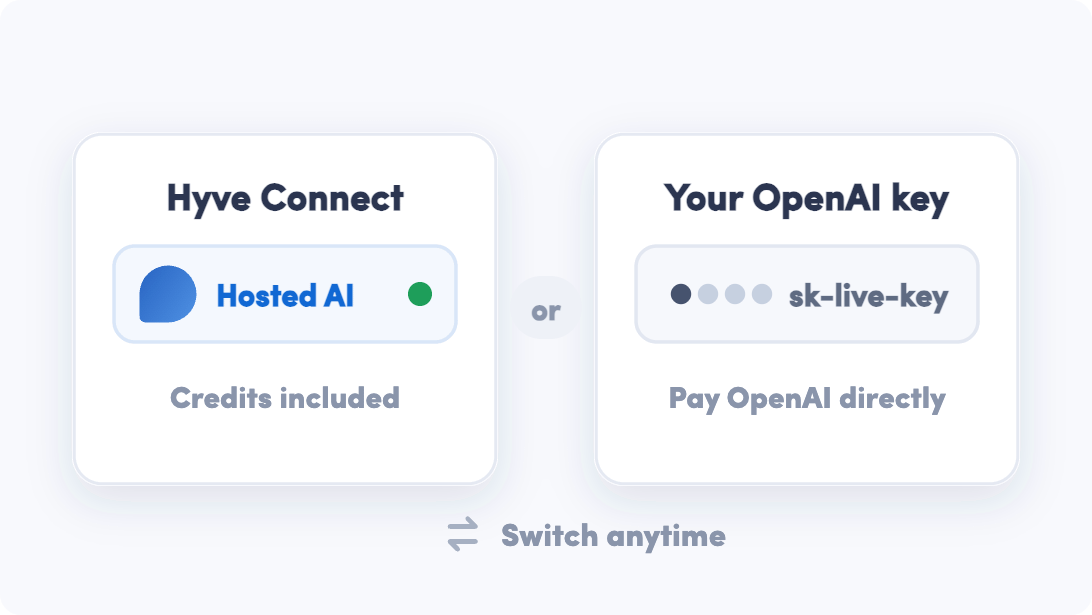
Start with hosted AI using Hyve Connect, or connect your own OpenAI key and pay OpenAI directly.
Build your knowledge base
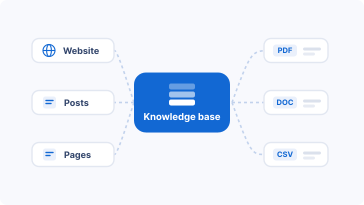
Bring together your WordPress content, websites, documents, and custom data in one place.
Answer & engage
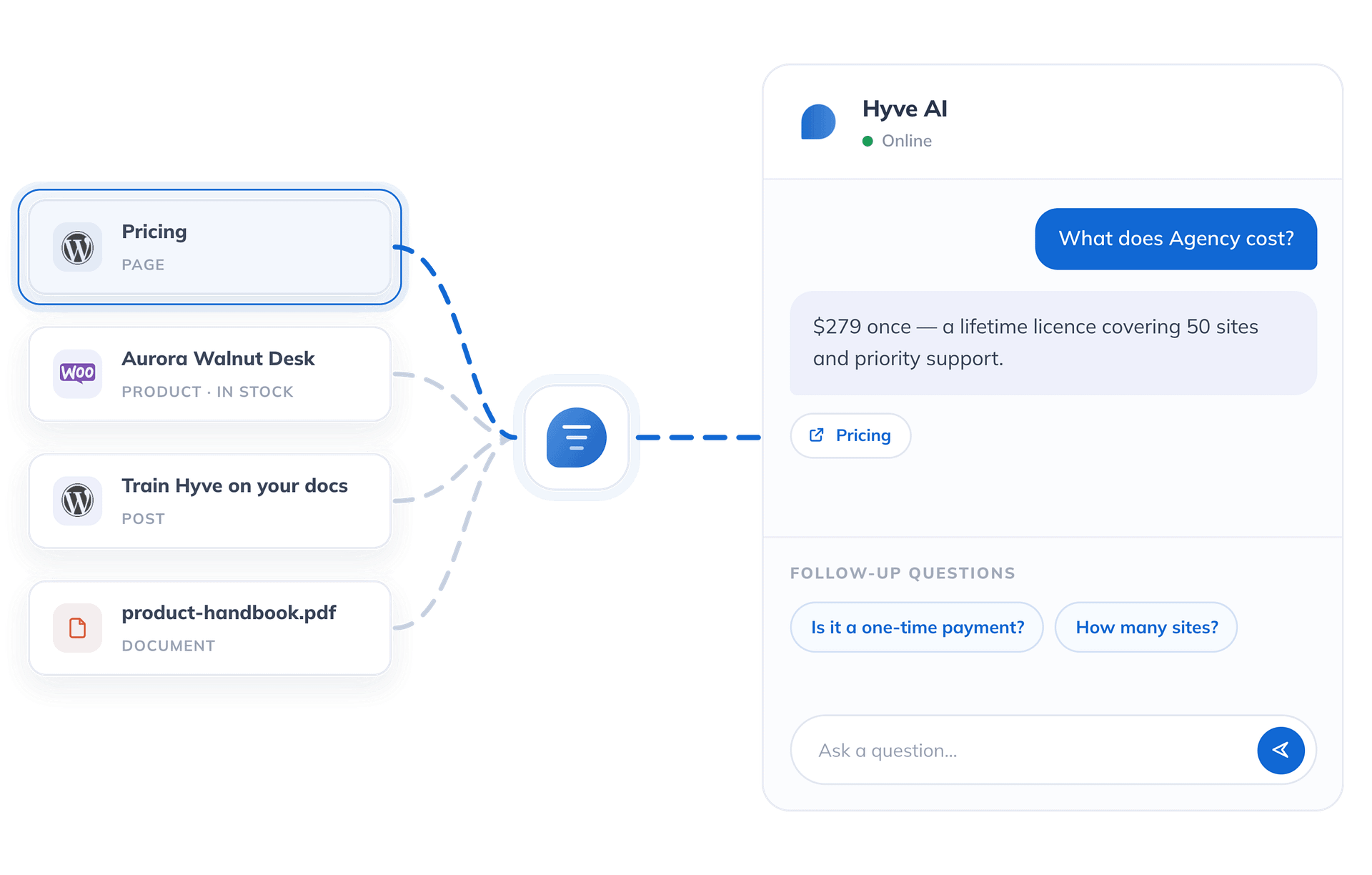
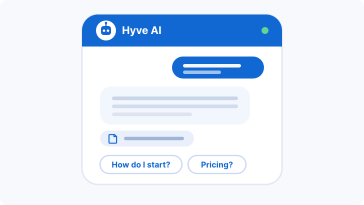
Deliver source-backed answers, suggest follow-up questions, and engage visitors automatically.
WHY HYVE IS DIFFERENT
The details that make Hyve worth owning
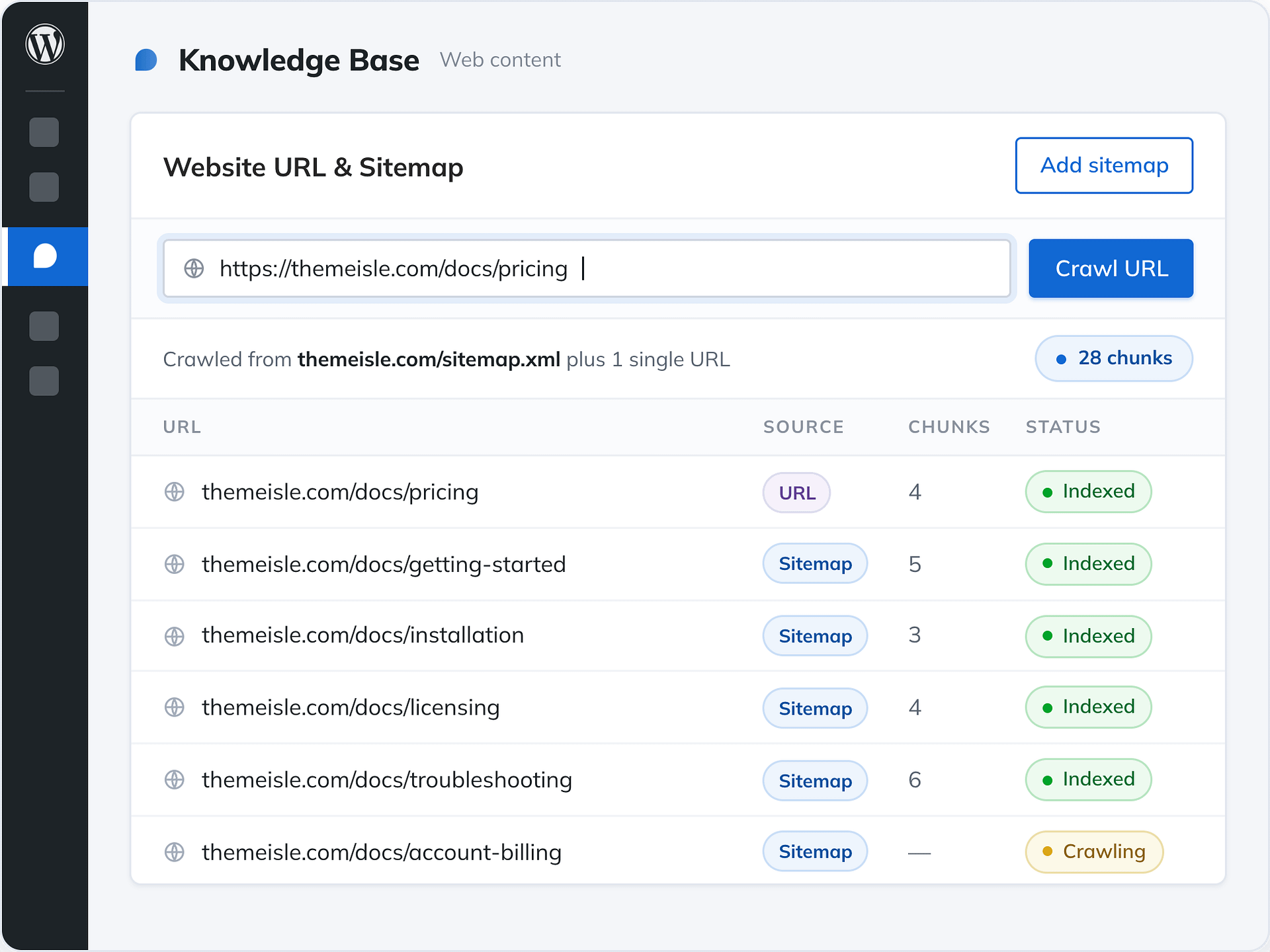
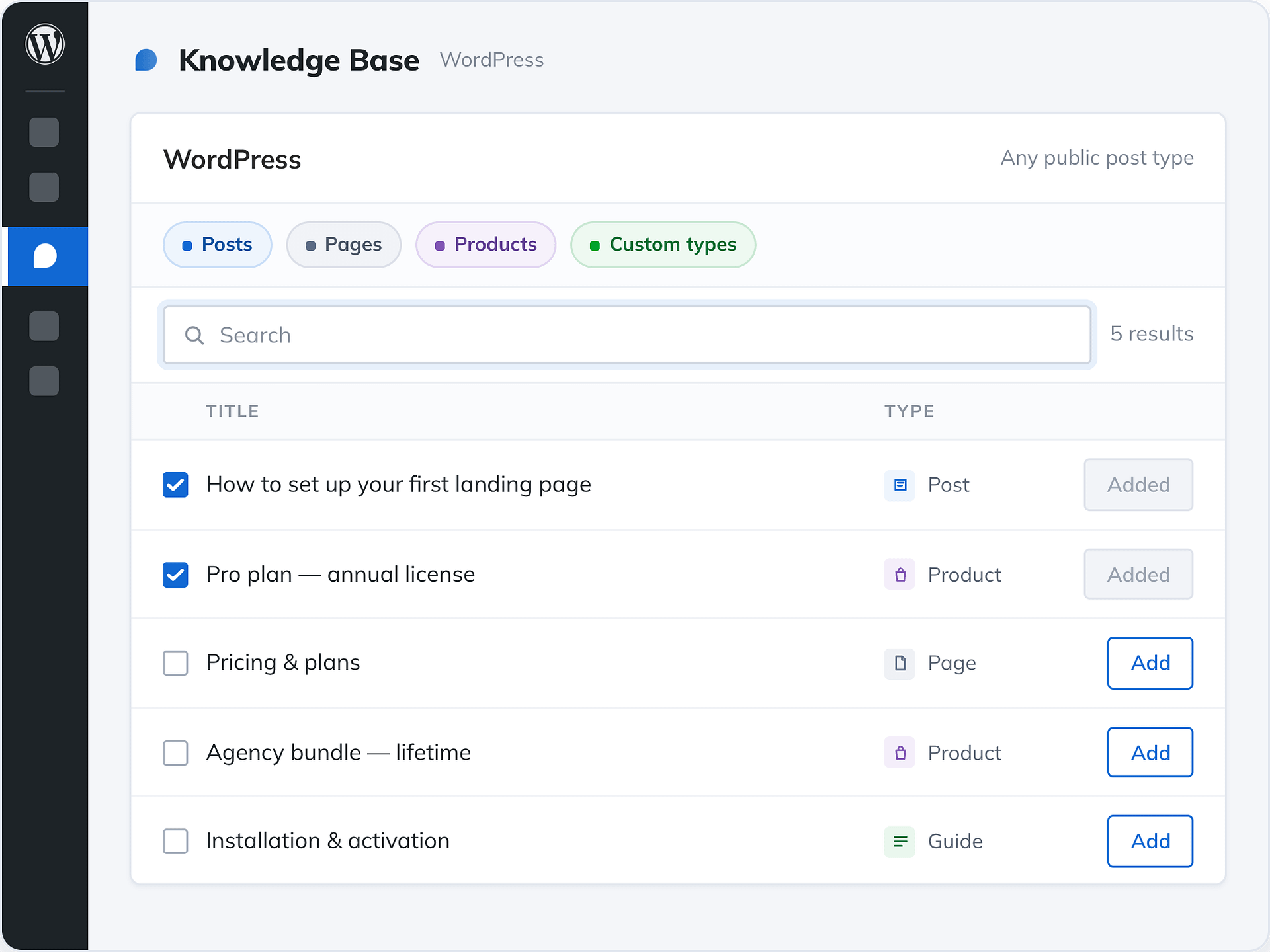
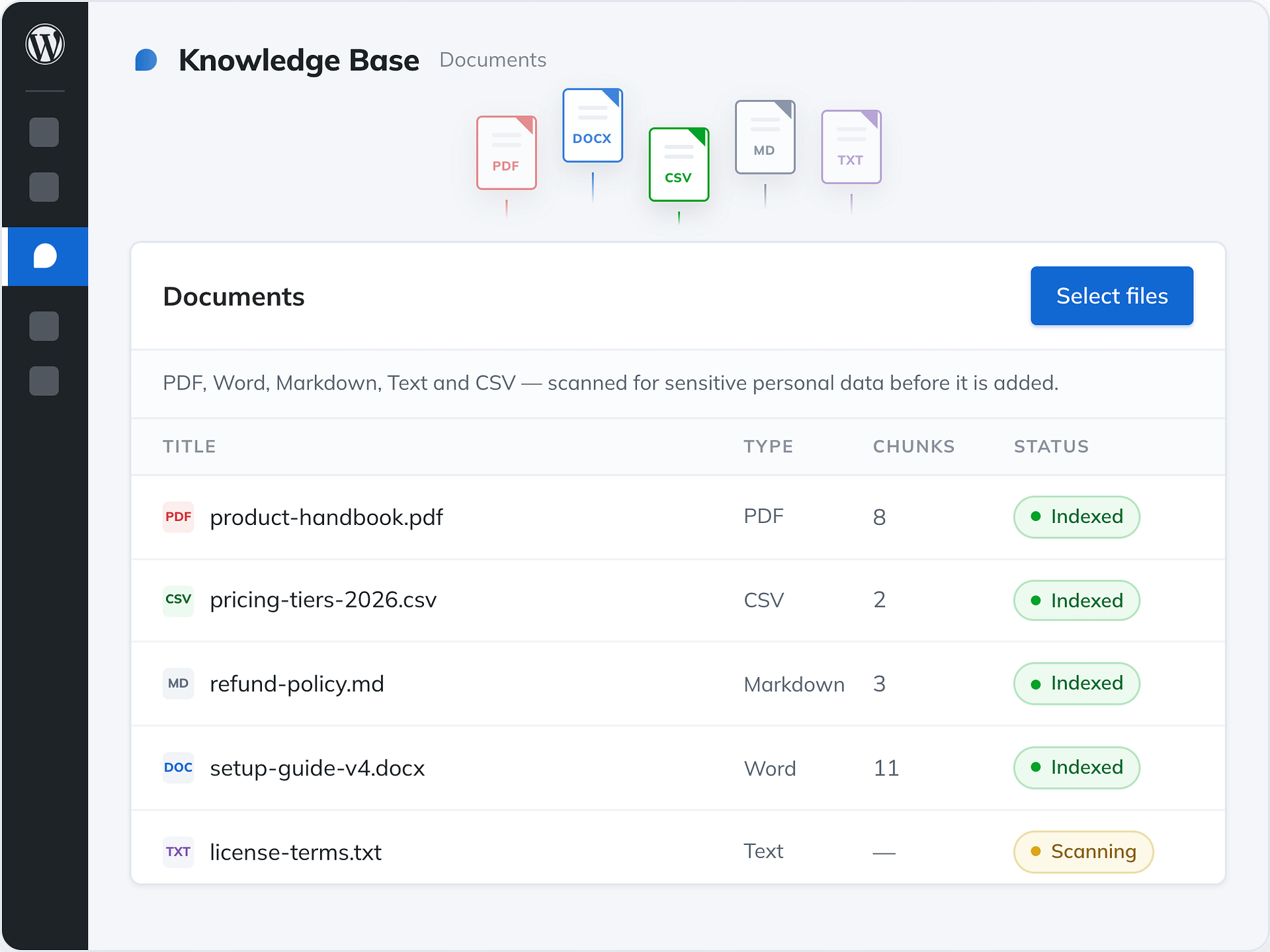
KNOWLEDGE SOURCES
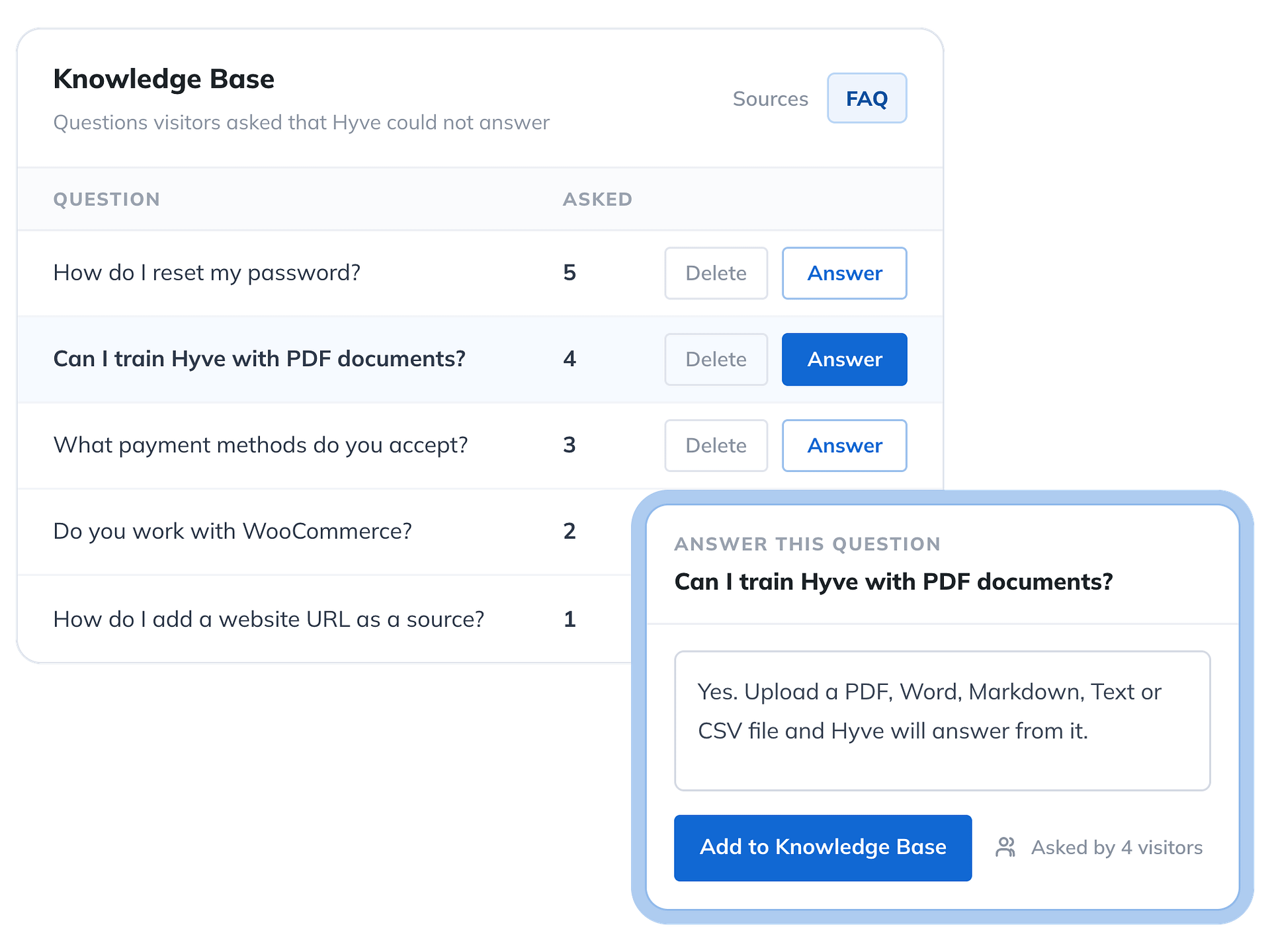
Train it on more than just web pages
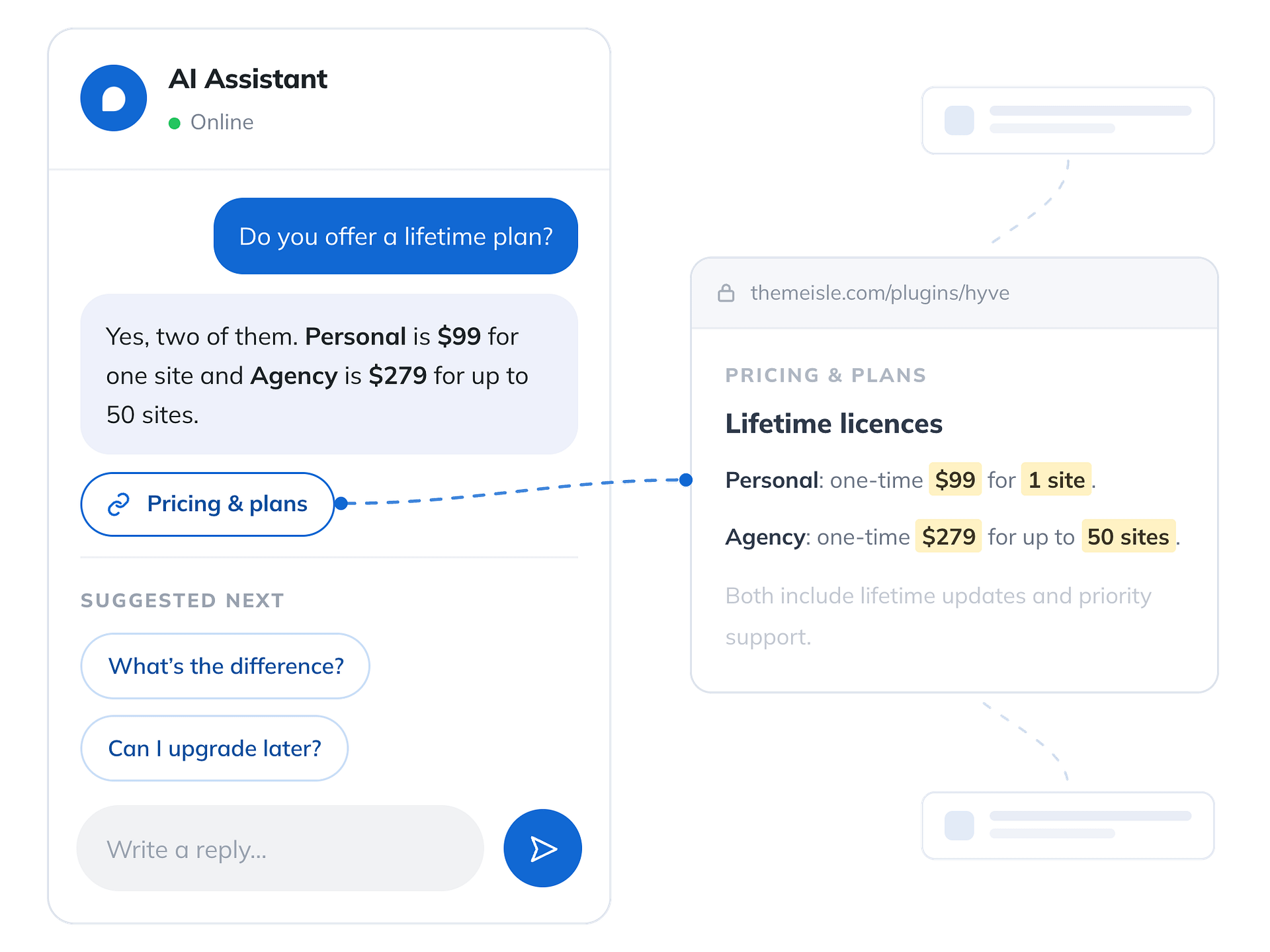
GROUNDED, NOT GENERIC
Every answer traces back to a real page
Every response is based on your own content, so visitors can quickly find answers they can trust.
- Source links on every answer
- Smart follow-up questions
- No hallucinations. If it’s not in your content, Hyve won’t answer.
TWO WAYS TO POWER IT
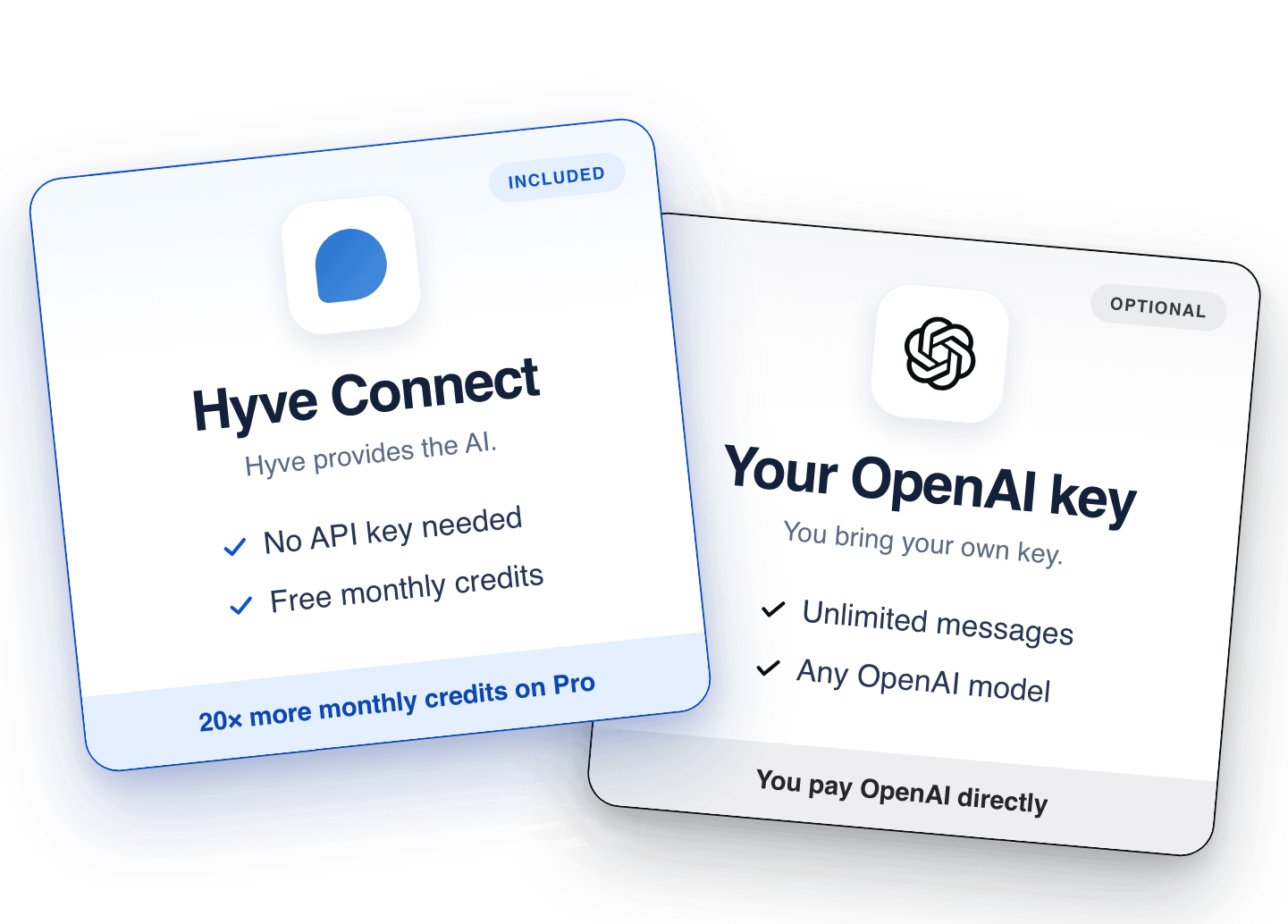
Start in seconds. Scale on your own key.
Turn on Hyve with hosted AI. No OpenAI account, API key, or setup required. When you need more usage, simply connect your own OpenAI key. Your knowledge base, conversations, and settings stay exactly where they are, in your WordPress database.
- Start with hosted AI credits. No API key required.
- Add your own OpenAI key whenever you need more usage.
CONTROL & INSIGHT
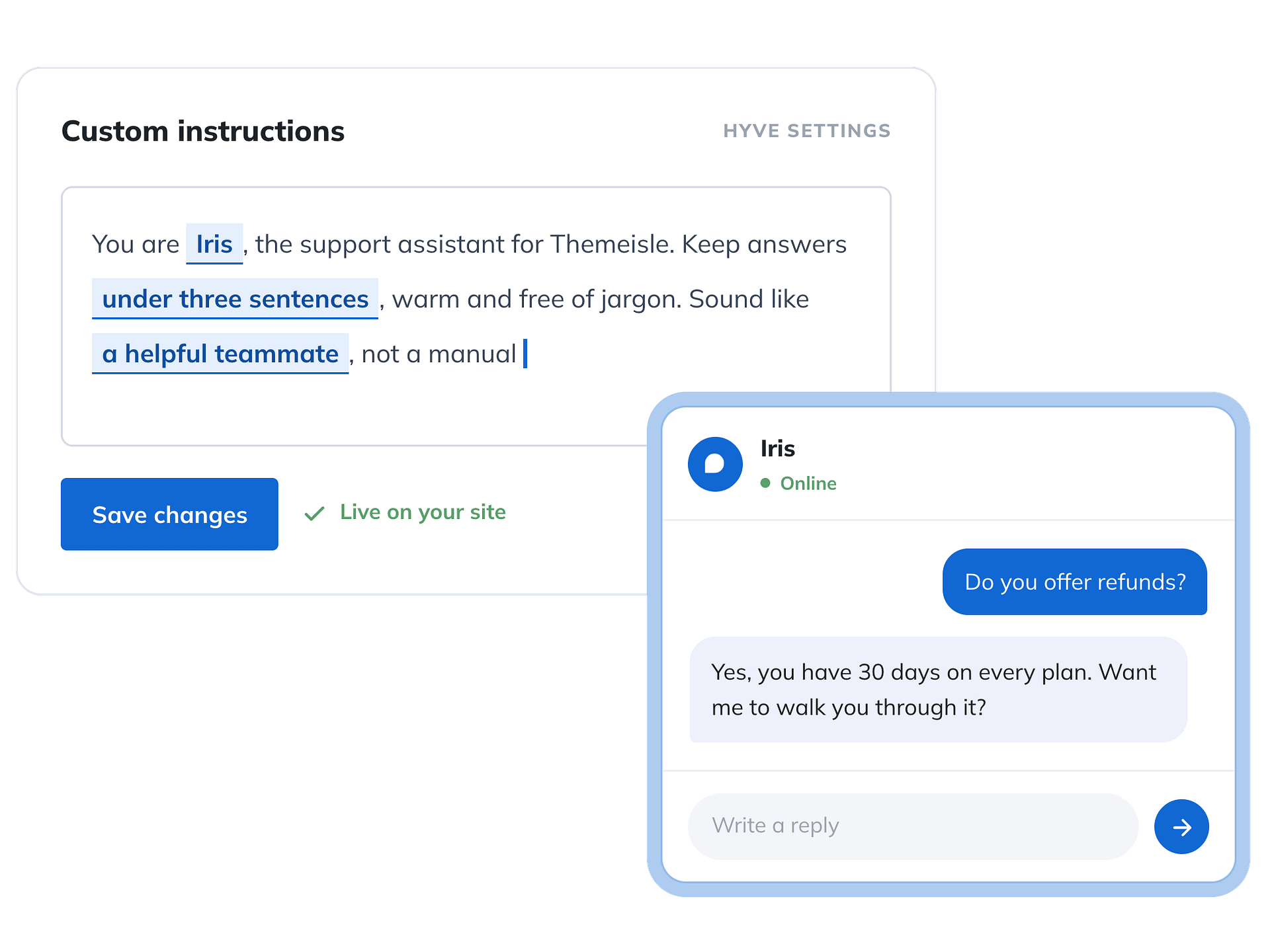
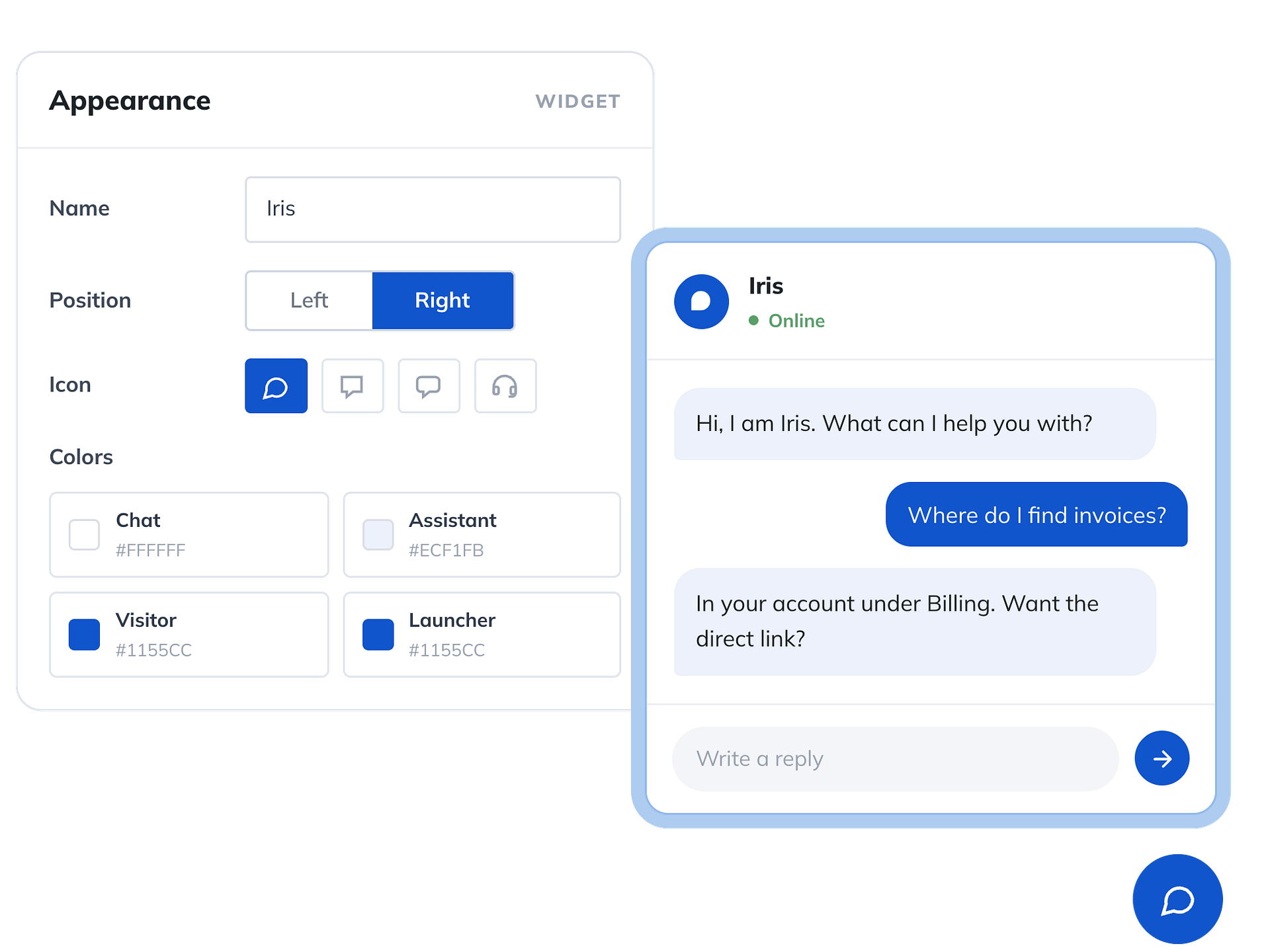
Make Hyve yours
ENGAGE & CAPTURE
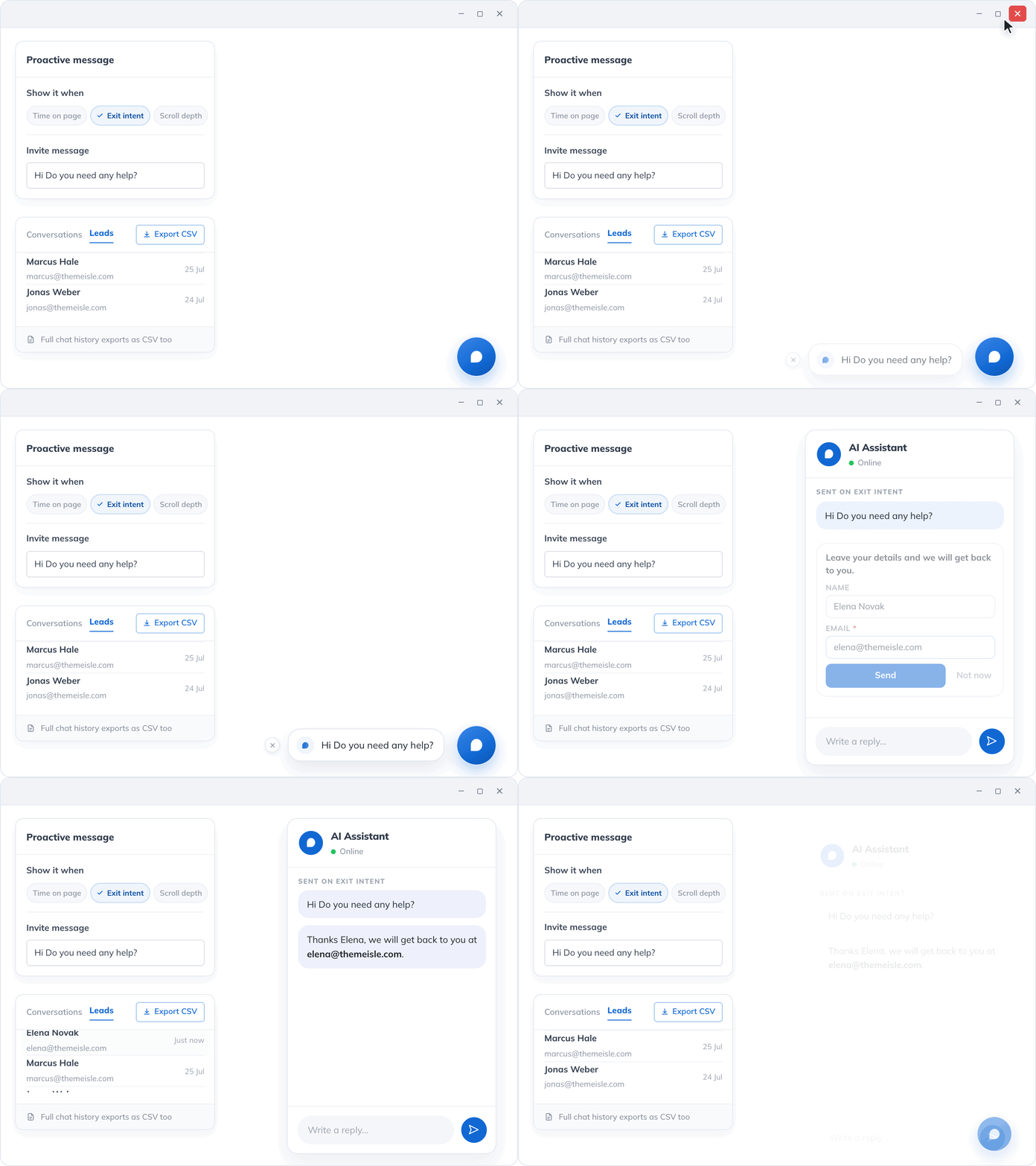
Turn conversations into leads
Start conversations at the right moment, guide visitors to what they need, capture qualified leads automatically, and send them to your automation tools when needed.
- Trigger chatbot based on time, scroll depth, or exit intent.
- Captured conversations and leads stay in your WordPress database.
- Export conversations and captured leads as CSV, or send them to your automation tools with webhooks.
LIVE DATA & ACTIONS
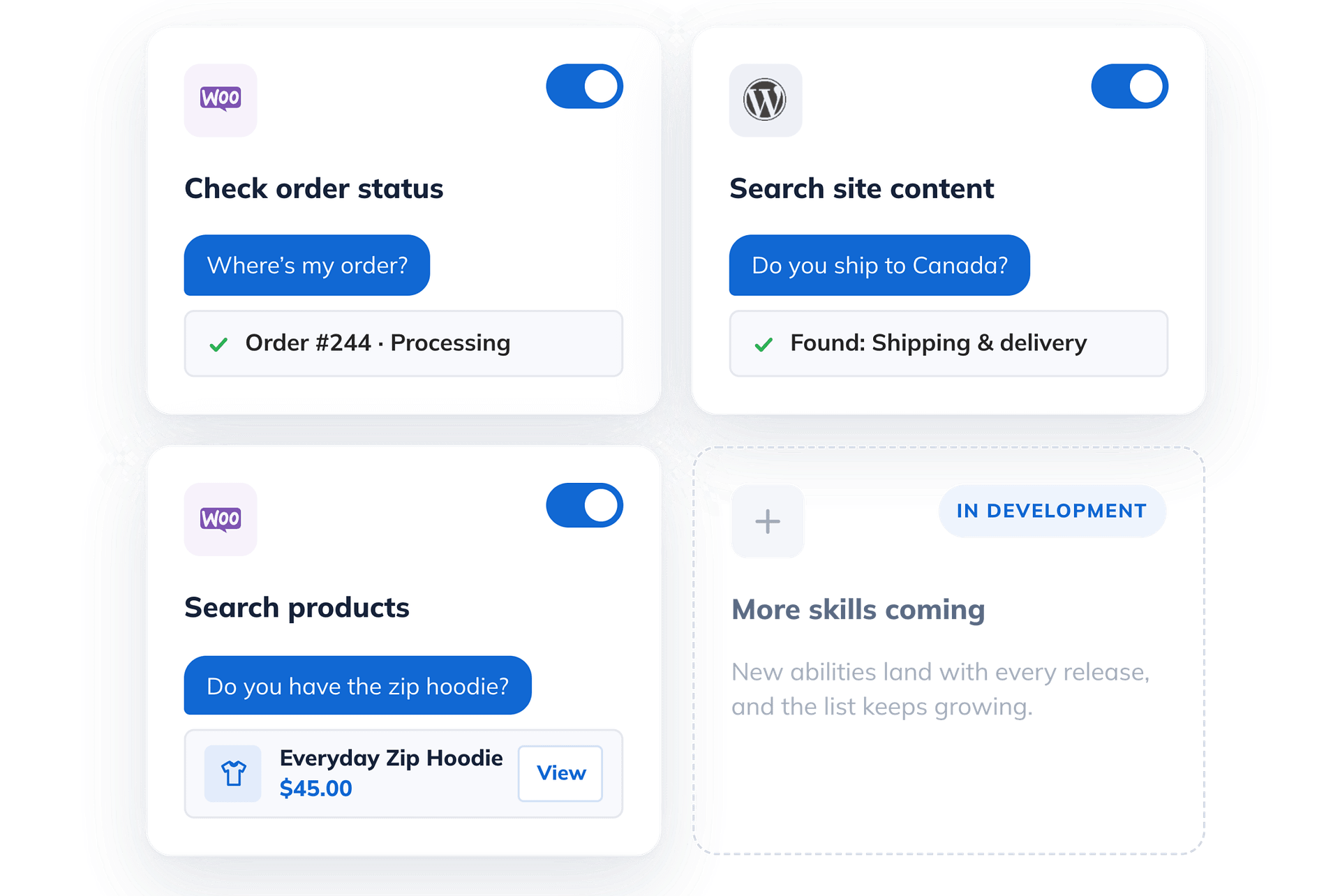
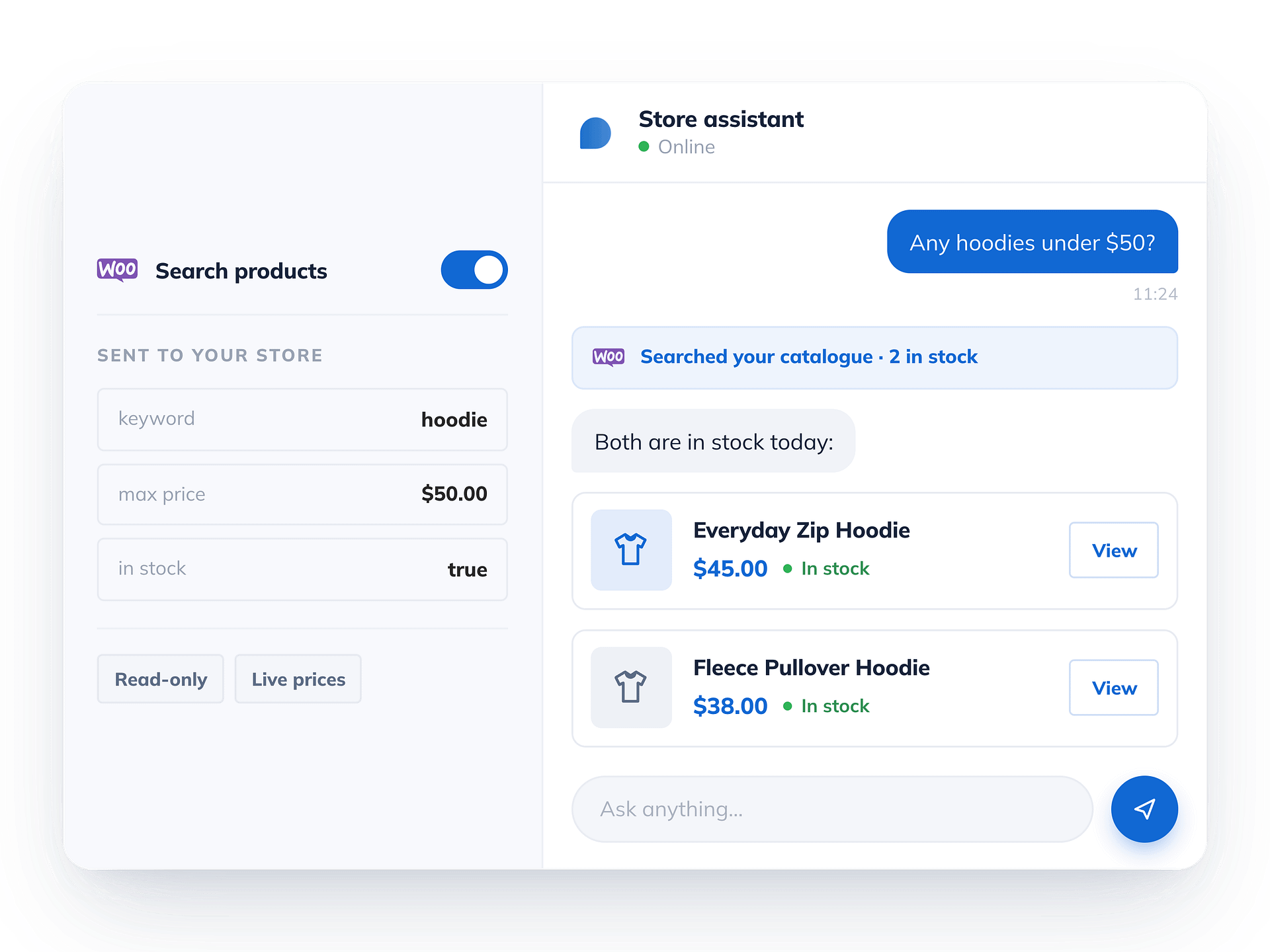
More than answers, powered by Hyve skills
- Lifetime Support & Updates for 1 site
- Priority Support
- All Features Included
- Lifetime Support & Updates for 5 sites
- Priority Support
- All Features Included
- Lifetime Support & Updates for 50 sites
- Priority Support
- All Features Included
All Pro Features Included
- 20x more Hyve Connect monthly credits
- Train from WordPress
- Documents & Custom Data
- Website & Sitemap Crawling
- 10x Knowledge base
- Custom AI Instructions
- Appearance Settings
- Smart Conversations
- Behavior Triggers
- Chat History & Insights
- Lead Capture
- Webhooks
- Hyve Skills
- Future Features Included
- Priority Support

100% Money Back Guarantee!
Purchase with peace of mind. If you find out that this plugin does not meet your needs, we offer a 30-day no-questions-asked money-back guarantee.
Still deciding between free and Pro?
The free plugin answers questions from your posts and pages. Hyve Pro gives you the power to upload files (PDFs, docs, etc), site crawling, personas, proactive messages, and much more.
| Feature | Free on WordPress.org | Pro from $79/lifetime |
|---|---|---|
| AI engine | ||
| Hyve Connect (hosted AI)Built in hosted AI on every plan, with no OpenAI account or API key needed. Activate the plugin and start chatting. | 500 messagesper month | 10,000 messagesper month |
| Bring your own OpenAI keyOptional on every plan. Connect your own key for unlimited messages and full control over which model powers the chatbot. | ||
| Content sources | ||
| Train from WordPress posts & pagesTurns your existing site content into the chatbot’s knowledge base automatically, and keeps it in sync as you publish and edit. | ||
| Private custom dataAdd answers that never need to be published anywhere on your site, such as internal policies, pricing notes or shipping rules. | ||
| Document import (PDF, Word, MD, CSV)Import files straight from your Media Library into the knowledge base, with no manual copy pasting. | ||
| Website URL crawlingPull knowledge base content from any external URL, not just your own WordPress pages. | ||
| Sitemap crawlingPoint Hyve at a sitemap and import an entire site’s worth of pages in one go. | ||
| Knowledge base sizeYour content is stored as small searchable pieces, and a 1,500 word post uses roughly three of them. If you outgrow the limit, connect Hyve to Qdrant and extend it on their free plan. | 1,000 chunks~300 posts | 10,000 chunks~3,000 posts |
| Chat experience | ||
| Suggested & follow-up questionsStarter and follow up prompts guide visitors through the conversation instead of leaving them with an empty message box. | ||
| Source links in answersWhen an answer comes from a published post or page, the reply links straight back to it so visitors can read the full context. | ||
| Proactive messagesThe chatbot opens on its own with a welcome message when a visitor hits a trigger you set in the backend, such as scrolling down the page or moving to leave it. | ||
| Branding & customization | ||
| Widget name, icon & colorsGive the chatbot its own name, avatar and color scheme so the widget matches the rest of your site. | ||
| Custom instructions (persona & tone)Set the chatbot’s tone and scope in your own words. The built in answer format and knowledge base rules still always apply. | ||
| Skills, leads & integrations | ||
| Hyve SkillsExtend Hyve with trusted abilities from your WordPress plugins, unlocking live capabilities like WooCommerce product search, order status and site content search. New Skills and integrations keep being added. | ||
| Lead capture in chatVisitors leave their name and email right in the chat. Choose when the form appears: when the bot cannot answer, when someone asks for a human, or before the conversation starts. | ||
| Webhooks (Zapier, Make, n8n)Send chat activity and captured leads to any URL as signed JSON events, the moment they happen. | ||
| Insights & reporting | ||
| FAQ & missed-question insightsSee what visitors ask most, with a count of how often each question comes up, alongside the questions the chatbot could not answer, so you know which answers to write next. | ||
| Chat historyFree shows your 3 most recent conversations. Pro unlocks the complete history. | Last 3 chats | Full history |
| CSV export of chat historyDownload every conversation as a CSV file for reporting, auditing or sharing with your team. | ||
| Team & support | ||
| Support | Community forum | Priorityreply in ~8 business hours |
| Ready for Pro?Pay once, keep it for life. No subscription and no yearly renewal. Personal covers 1 site, Agency covers up to 50 sites. | Get Hyve ProGet Pro | |
See why WordPress users choose Hyve
Join thousands of WordPress site owners using Hyve to answer questions, reduce support requests, and turn more visitors into customers.
Get StartedTry it yourself with a 30-day money-back guarantee!
Trusted by industry leaders





Based on 7000+ installs on


Based on 450+ reviews on


After trying countless chatbots that hallucinated or were hard to set up, I found Hyve. The custom data feature improved response accuracy, and with a few OpenAI tweaks, it works like a charm. Responsive support makes it worth the one-time fee.

@thelilicat
VERIFIED
Excellent plugin, simple and powerful once configured. Responsive and competent technical support, and good value for money in the long run. I highly recommend Hyve and congratulate the entire team on the quality of their support!
@smounier
VERIFIED
I recently installed the Hyve chatbot plugin, and it’s been a fantastic addition!

Abhishek Deshpande
VERIFIED
So far, the only AI that has provided useful answers based on the content of my website.

Thorsten Hoeppner
VERIFIED
Very good plugin.

@ramonferreiro
VERIFIED
Supported by Real People

TOP NOTCH SUPPORT
Need support? Stay relaxed, we have you covered!
Our Happiness Engineers are happy to help you get the best results from our products. No matter the question, we deal with it and don’t leave you wondering what to do.
- Knowledge Base
- Priority Support
- Support via Email
- 1 Business Day Reply
NEED A HAND?
Frequently Asked Questions
Do I need an OpenAI API key?
No. Hyve works out of the box with Hyve Connect, we run the AI for you, so you can be live in a few minutes without ever creating an OpenAI account. Every plan comes with a monthly credit allowance for it, and Pro includes 20× more than free.
If you would rather run your own, switch to your own OpenAI API key in settings at any time. You then pay OpenAI directly for usage and Hyve stops counting credits.
What happens when I hit a limit?
There are two limits. If you reach your knowledge base limit, you can’t add more content until you remove some or upgrade (this limit doesn’t apply if you’re using your own Qdrant instance). If you reach your monthly message limit, the chatbot stops replying until your quota resets. If you need more flexibility, you can connect your own OpenAI API key instead. Nothing is deleted, and upgrading restores full access immediately.
Is it really a one-time payment?
Yes. You pay once and keep the plugin, every update and our support for life — no yearly renewal. The only running cost is AI usage: either your Hyve Connect credits, or what you pay OpenAI directly if you bring your own key.
Still have a question?
If you have not found the answer to your question here, get in touch and we will be happy to help.
Built for every WordPress website
Agencies & freelancers
Run Hyve across every client site from one Agency license.
- Manage up to 50 client sites
- Role-based team access
- Custom persona per site
Support & docs sites
Deflect repetitive questions with grounded, sourced answers.
- Train on docs & help content
- Source-backed answers
- FAQ Insights for content gaps
Content & business sites
Answer questions about your posts, pages, and policies instantly.
- Train on posts & pages
- Import PDFs & spec sheets
- Include unpublished custom data
Whether you’re answering support questions, documenting products, or helping customers find the right information, Hyve is ready to work with the content you already have.
Get Hyve Pro NowJoin over 7K users who build awesome sites with our products!
By downloading you agree to our terms of use and privacy policy.